

- At least 2 instances - During node maintenance, Porter keeps services with 2 or more instances available by replacing them a few at a time. A service with a single instance restarts briefly. Set this in the Resources tab, or set the autoscaling minimum to at least 2.
- Health Checks - Ensure new instances are ready before receiving traffic
- Graceful Shutdown - Allow old instances to finish processing before termination
Health Checks
Health checks indicate whether an application is healthy and ready to receive traffic. When enabled, traffic won’t switch from the old application instance until the health check confirms the new instance is ready. Health checks can be configured in the Advanced tab of your service settings.Readiness probes should be used in conjunction with graceful shutdown behavior
to control exactly when applications stop receiving traffic. See the graceful
shutdown section for more information.
Web Services
For Web services, configure HTTP-based health checks where your application returns:200status code when ready to receive traffic500-level error code when not ready
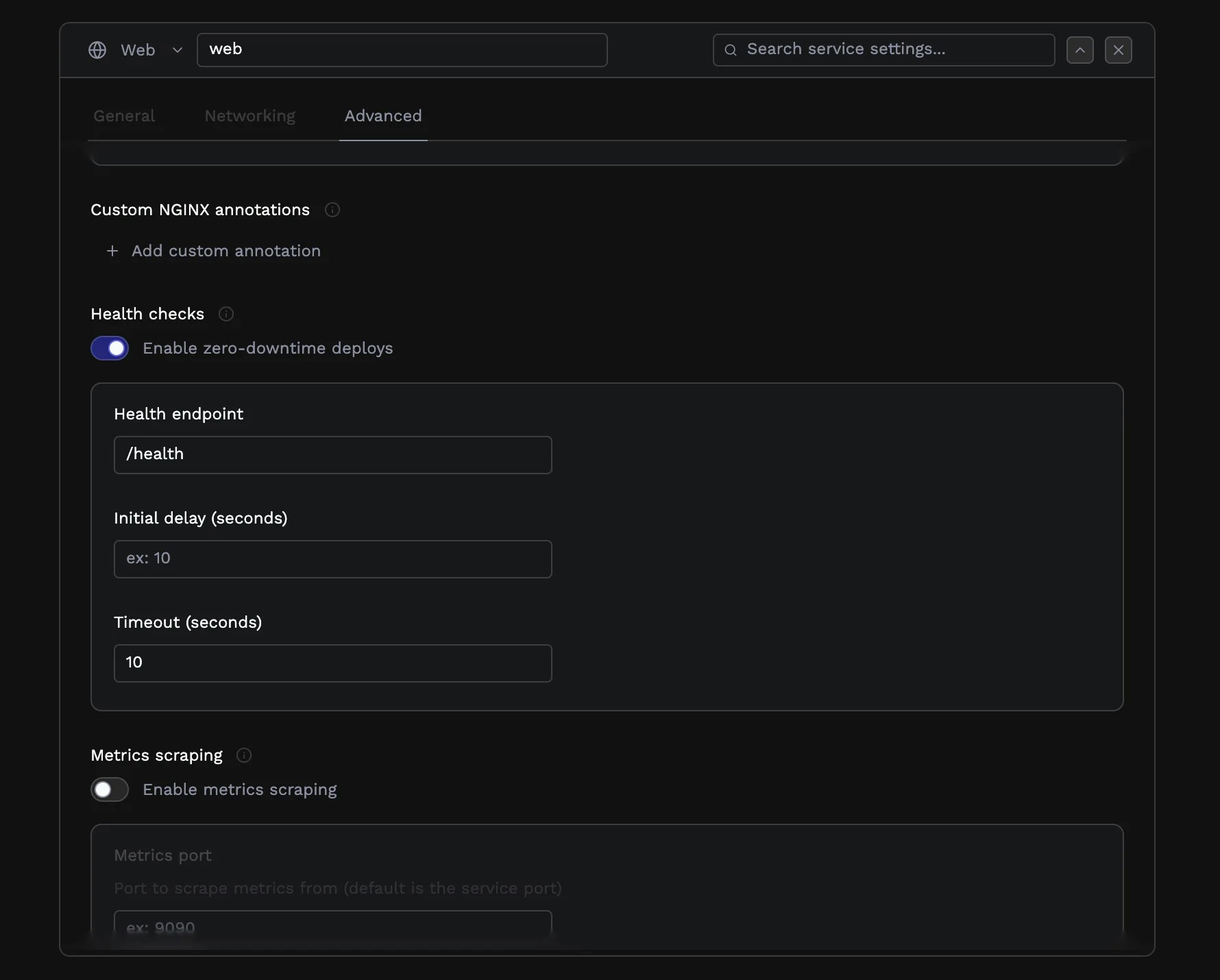
/healthz as your health check endpoint, no traffic will be routed to the web service until that endpoint returns a 200 status code.
Workers
For Worker services, you must set up health checks using custom commands or scripts instead of HTTP endpoints. This is useful for monitoring services like Celery workers that don’t expose HTTP endpoints. To configure command-based health checks, create a health check script that:- Executes the necessary commands to check your worker’s health
- Returns exit code
0if the worker is healthy - Returns a non-zero exit code if the worker is unhealthy
Worker services only support command-based health checks. HTTP health checks are only available for Web services.
Graceful Shutdown
When applications are being re-deployed, old instances receive aSIGTERM termination signal. They are then given a Termination Grace Period—the number of seconds before the application is forcefully killed.
During this period, your application should:
- Stop accepting new work
- Complete or close existing connections
- Exit gracefully
Web Services
Web services will continue to receive traffic until they exit, unless you configure the readiness probe to fail. The recommended graceful shutdown sequence is:- When
SIGTERMis received, immediately return a500-level response on your health check endpoint to stop receiving new traffic. - Close the server to prevent additional connections.
- Drain all existing connections before the grace period ends.
- Exit gracefully after connections are drained.
Workers
For Worker services, implement graceful shutdown using signal handling and file-based coordination:- Trap the SIGTERM signal in your worker process or an init script for the service.
- Write a shutdown marker to a file when the signal is received, indicating the worker should stop.
- Adapt your health check script to check for this shutdown marker:
- If the marker indicates shutdown is in progress, the script should return a non-zero exit code.
- This signals to Porter that the worker is no longer healthy and should not receive new work.