> ## Documentation Index
> Fetch the complete documentation index at: https://docs.porter.run/llms.txt
> Use this file to discover all available pages before exploring further.
# Tailscale on Porter
> Deploy a Tailscale subnet router add-on on your Porter cluster to securely access all internal cluster services over a private VPN network
Tailscale is a VPN that creates a secure network between your servers, computers, and cloud instances. Unlike many other VPNs, setting up a new network on Tailscale requires minimal user configuration and virtually no experience with networking.
To learn more about how Tailscale works under the hood, you can check out this [excellent overview](https://tailscale.com/blog/how-tailscale-works/?ref=blog.porter.run) on their official blog.
We will be deploying a Tailscale "subnet router" which will allow any services deployed on your Porter cluster to be accessible over the Tailscale network (Tailnet).
## Setting up Tailscale
### Creating an Oauth Client
1. In the Tailscale admin dashboard, navigate to `Access controls` tab.
2. Add the following annotations to the policy file:
```yaml theme={null}
"tagOwners": {
"tag:k8s-operator": [],
"tag:k8s": ["tag:k8s-operator"],
},
```
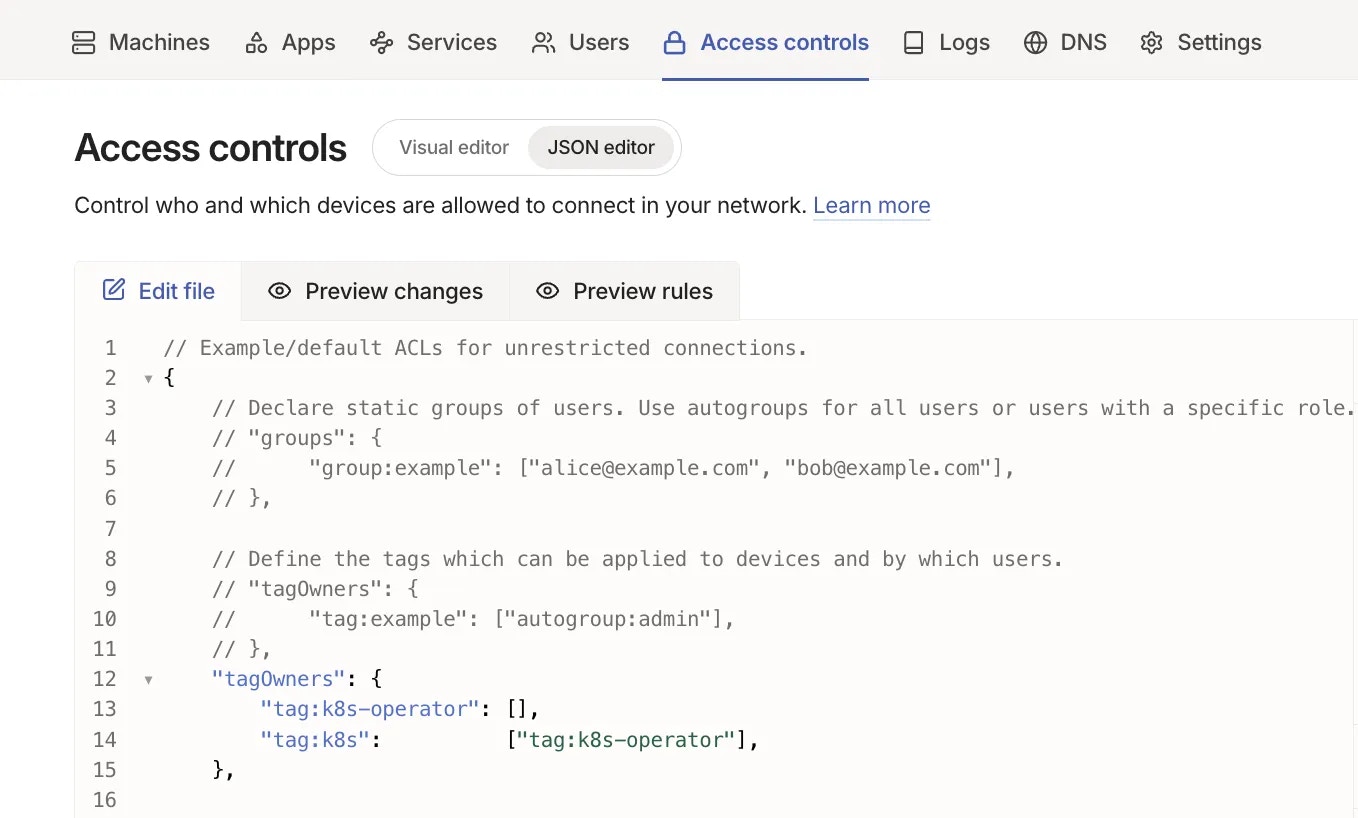 3. Click `Save` button to save the changes.
4. Navigate to `Settings -> Trust credentials -> Add credential -> OAuth`
5. Select the `Core` and `Auth keys` scopes with write permissions. Click on "Add tags" and ensure that the `k8s-operator` tag is selected.
3. Click `Save` button to save the changes.
4. Navigate to `Settings -> Trust credentials -> Add credential -> OAuth`
5. Select the `Core` and `Auth keys` scopes with write permissions. Click on "Add tags" and ensure that the `k8s-operator` tag is selected.
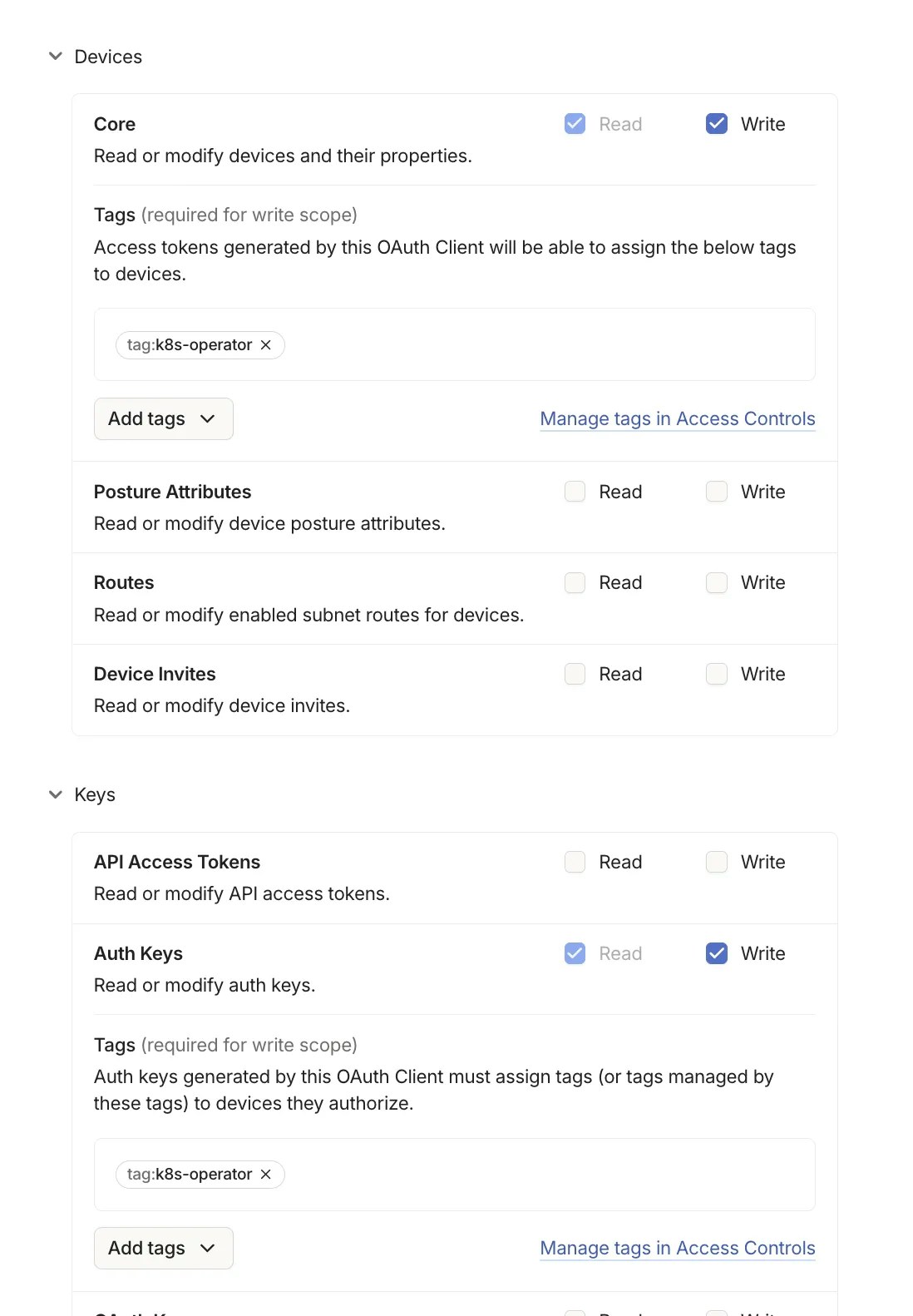 6. Click `Generate client` and **save the credentials securely - you will need them in the next steps and cannot retrieve them later.**
### Enabling VPN on your cluster
1. On the Porter dashboard, navigate to the cluster where you want to enable Tailscale and go to `Infrastructure -> Cluster -> VPN`
6. Click `Generate client` and **save the credentials securely - you will need them in the next steps and cannot retrieve them later.**
### Enabling VPN on your cluster
1. On the Porter dashboard, navigate to the cluster where you want to enable Tailscale and go to `Infrastructure -> Cluster -> VPN`
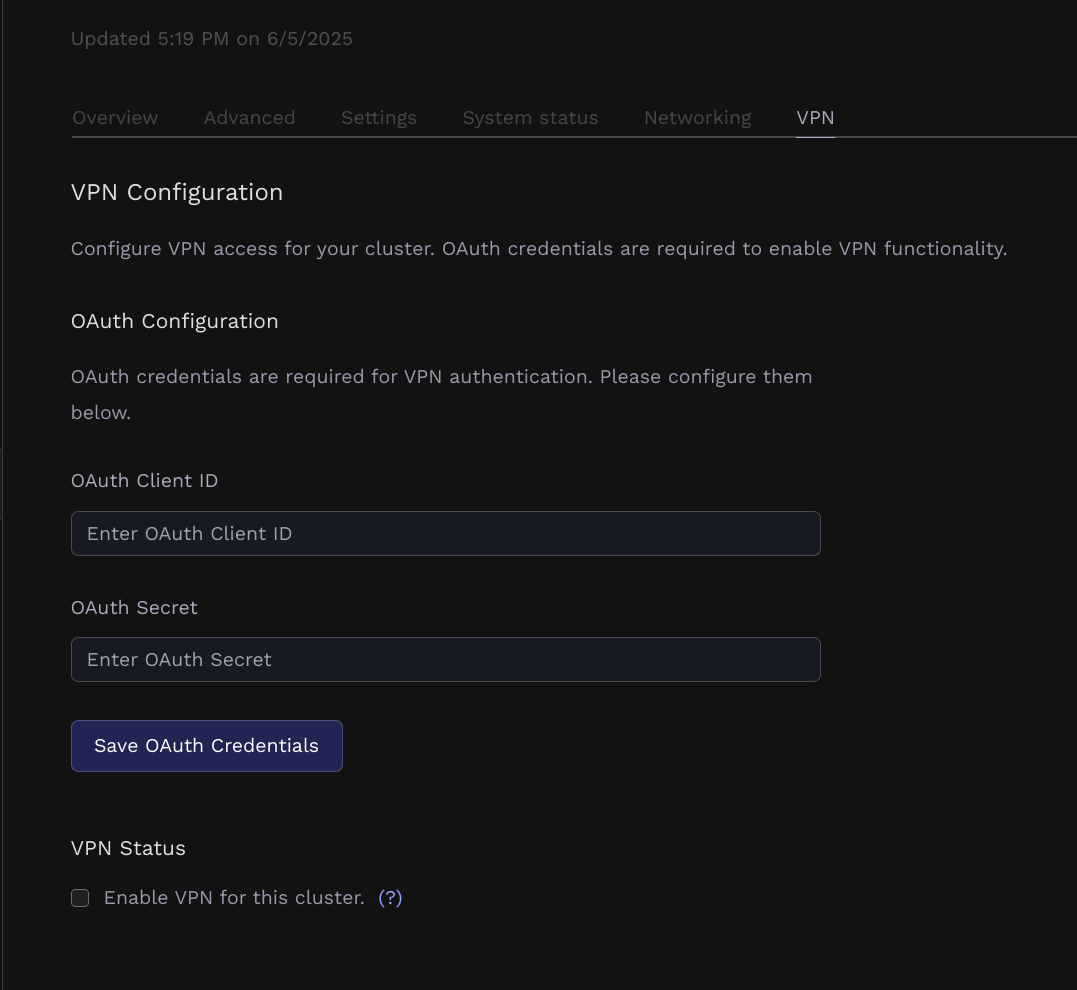 2. Input the OAuth client id and secret you generated previously.
3. Once the dashboard confirms the credentials are configured, click on "Enable VPN" and update your cluster.
2. Input the OAuth client id and secret you generated previously.
3. Once the dashboard confirms the credentials are configured, click on "Enable VPN" and update your cluster.
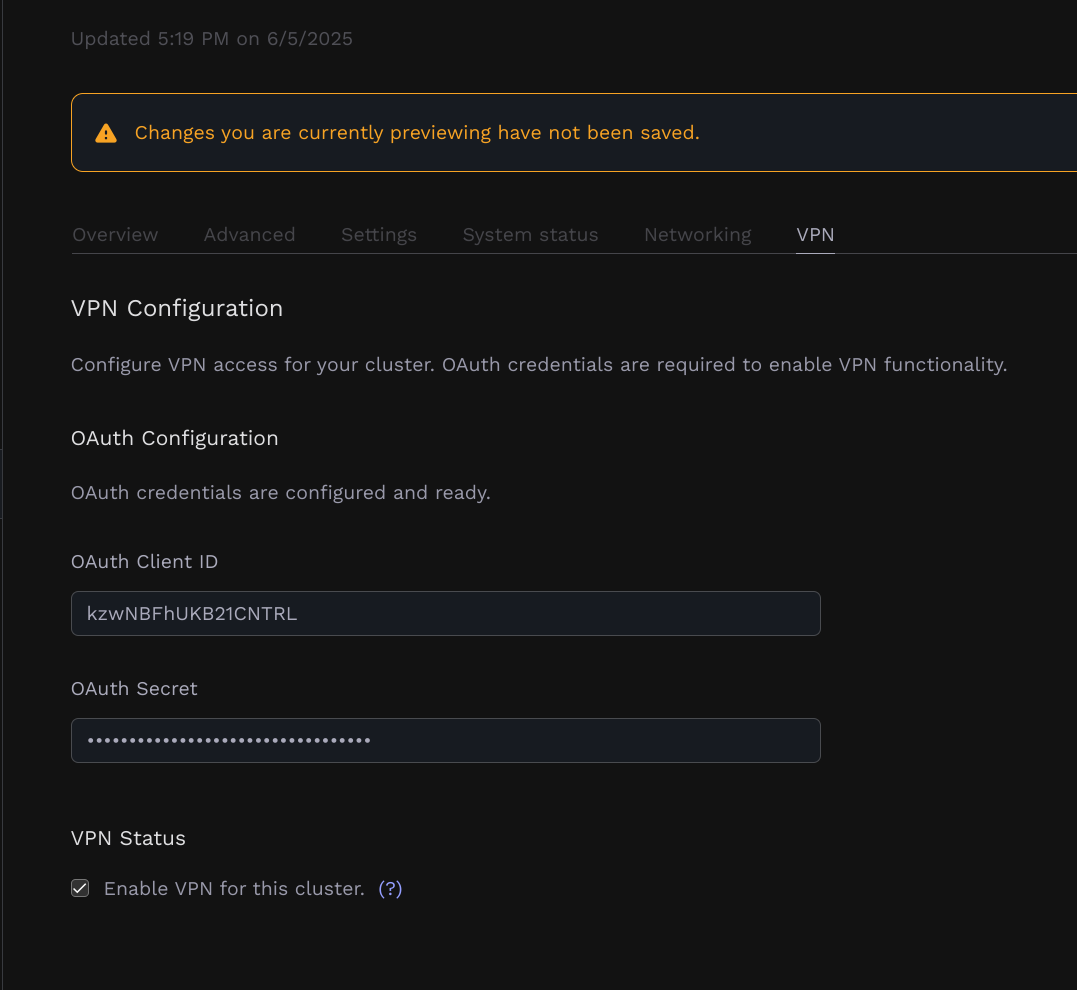 4. The cluster will update and once it's finished, you should be able to see the cluster and tailscale operator in your tailnet.
### Adding Routes to your Tailnet
By default, every time that you click "Update" on your cluster from the `Infrastructure` tab, Porter will ensure that all of your Porter-managed applications and Datastores are accessbile over the Tailnet.
As each route is added, it must be approved by an admin in the Tailscale Admin Panel.
1. Visit your [Tailscale Admin Panel](https://login.tailscale.com/admin/machines?ref=blog.porter.run).
2. Click on `Machines`.
3. Find the `cluster-ABC` machine, where `cluster-ABC` is the name of the Porter cluster where the VPN integration was enabled.
4. Click on the 3 dots on the right side of the `cluster-ABC`, and click `Edit Route settings`
5. Click `Approve All` to approve all routes.
6. If you intend to use `porter app run` or `porter datastore connect` commands, also check `Use as Exit Node`.
Your Tailscale Subnet Router should now be online. All of your Porter applications and Datastores should be accessible over the Tailnet.
4. The cluster will update and once it's finished, you should be able to see the cluster and tailscale operator in your tailnet.
### Adding Routes to your Tailnet
By default, every time that you click "Update" on your cluster from the `Infrastructure` tab, Porter will ensure that all of your Porter-managed applications and Datastores are accessbile over the Tailnet.
As each route is added, it must be approved by an admin in the Tailscale Admin Panel.
1. Visit your [Tailscale Admin Panel](https://login.tailscale.com/admin/machines?ref=blog.porter.run).
2. Click on `Machines`.
3. Find the `cluster-ABC` machine, where `cluster-ABC` is the name of the Porter cluster where the VPN integration was enabled.
4. Click on the 3 dots on the right side of the `cluster-ABC`, and click `Edit Route settings`
5. Click `Approve All` to approve all routes.
6. If you intend to use `porter app run` or `porter datastore connect` commands, also check `Use as Exit Node`.
Your Tailscale Subnet Router should now be online. All of your Porter applications and Datastores should be accessible over the Tailnet.