> ## Documentation Index
> Fetch the complete documentation index at: https://docs.porter.run/llms.txt
> Use this file to discover all available pages before exploring further.
# AWS VPC peering
> Set up VPC peering between your Porter cluster and existing AWS VPCs to access RDS instances and other resources across accounts or regions
AWS VPC Peering comes in quite handy when you need to allow access to RDS instances or other workloads that are located inside separate VPCs, from the Porter cluster. This doc is meant to serve as a checklist for setting up AWS VPC peering connections between a Porter cluster's VPC and an existing VPC on your AWS account. Note that this can work across separate regions too.
## Create a Peering Connection[](#create-a-peering-connection "Direct link to heading")
The first step is to create a peering connection, which can be accomplished by navigating to the `Peering Connections` section on the VPC dashboard. Whilst creating a connection, note that the requester VPC should be the Porter VPC, and the accepter VPC should be the VPC you wish to create a peering tunnel towards. Note that this is purely for consistency's sake.
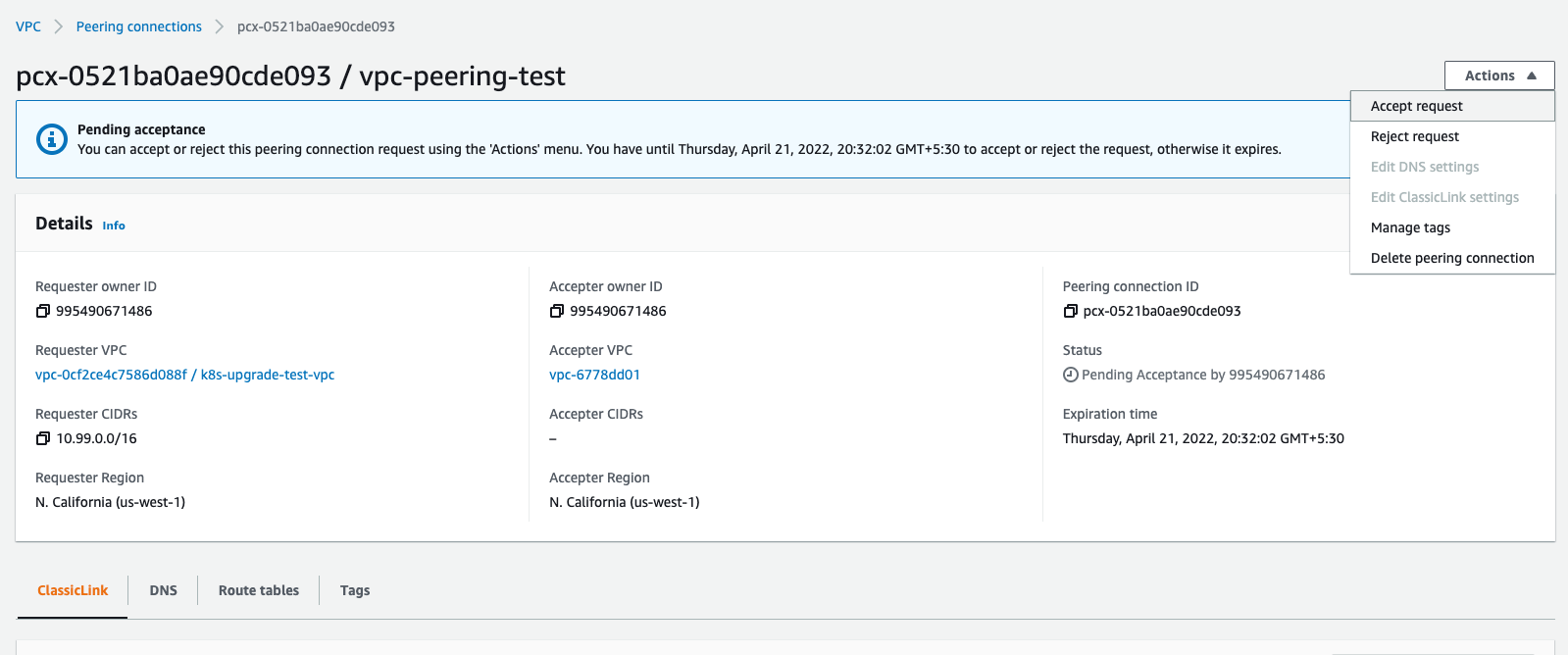
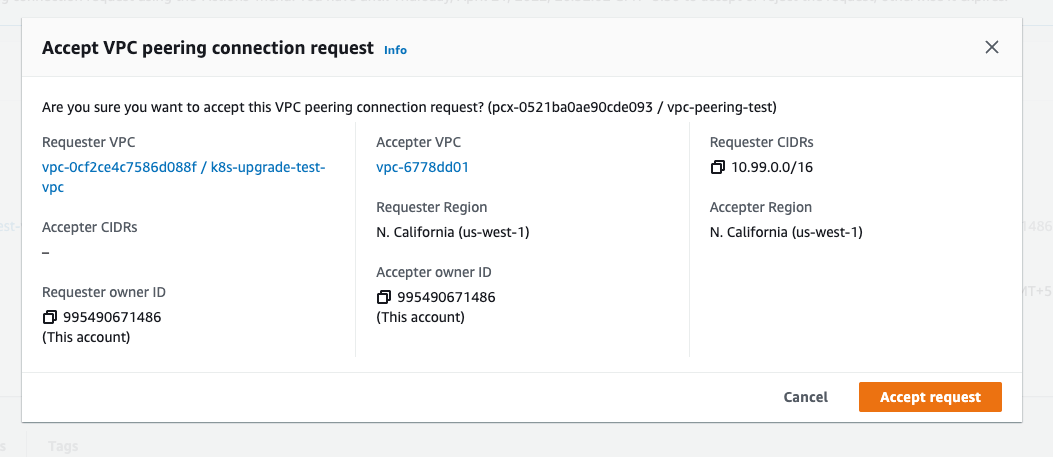
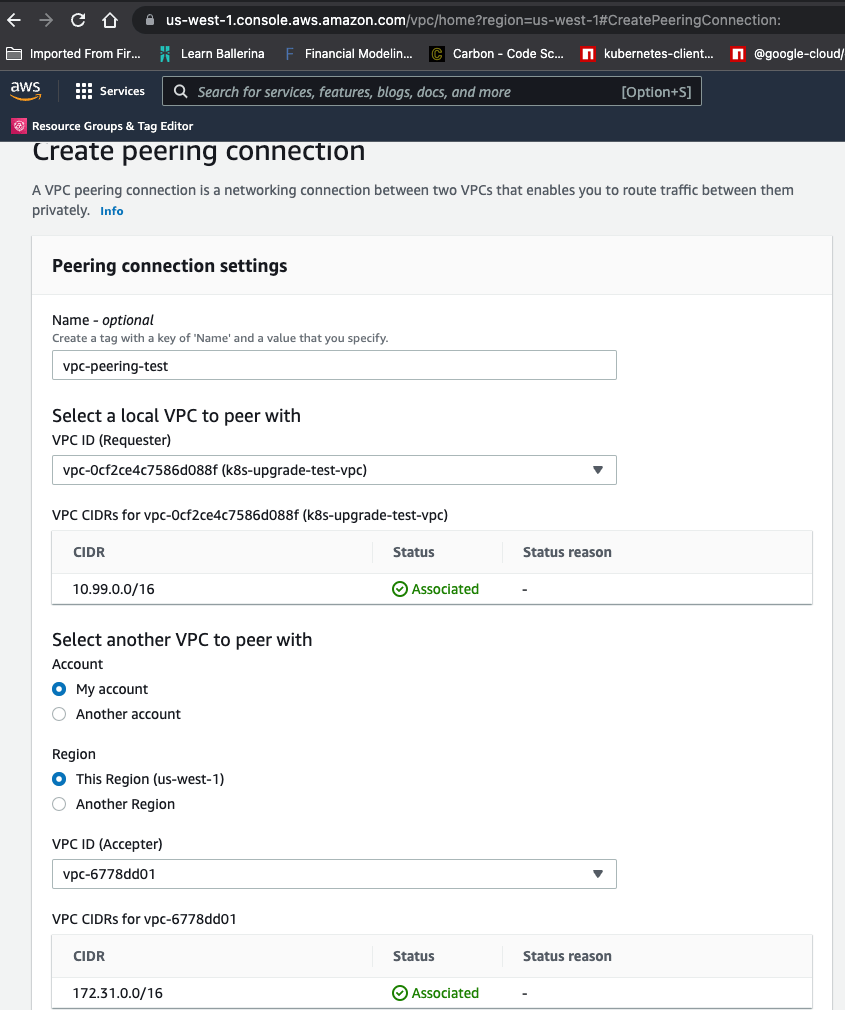 Once done, you'll need to "accept" the request for the connection. Do ensure that the peering connection is set up between VPCs that have different CIDRs.
 ## Routing Tables[](#routing-tables "Direct link to heading")
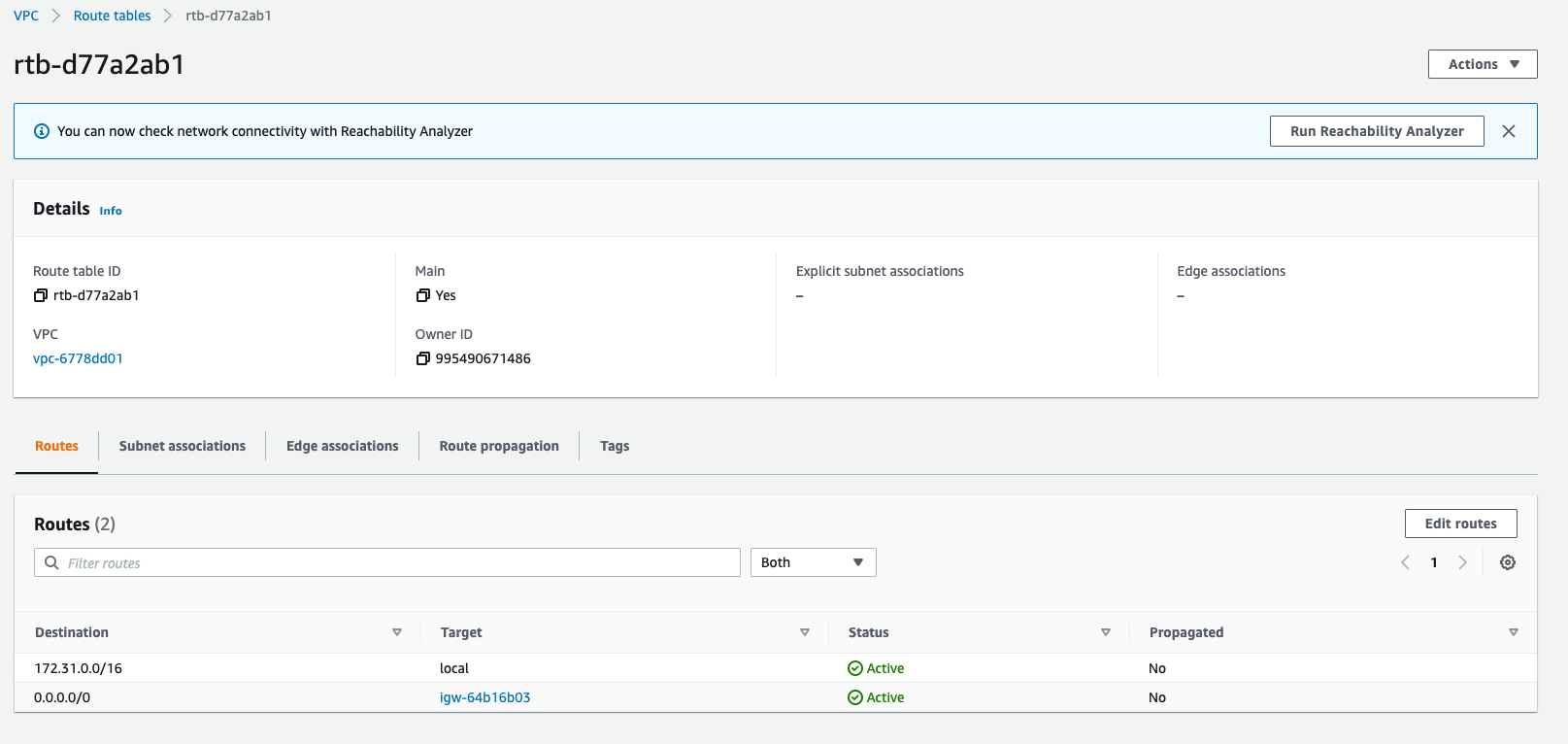
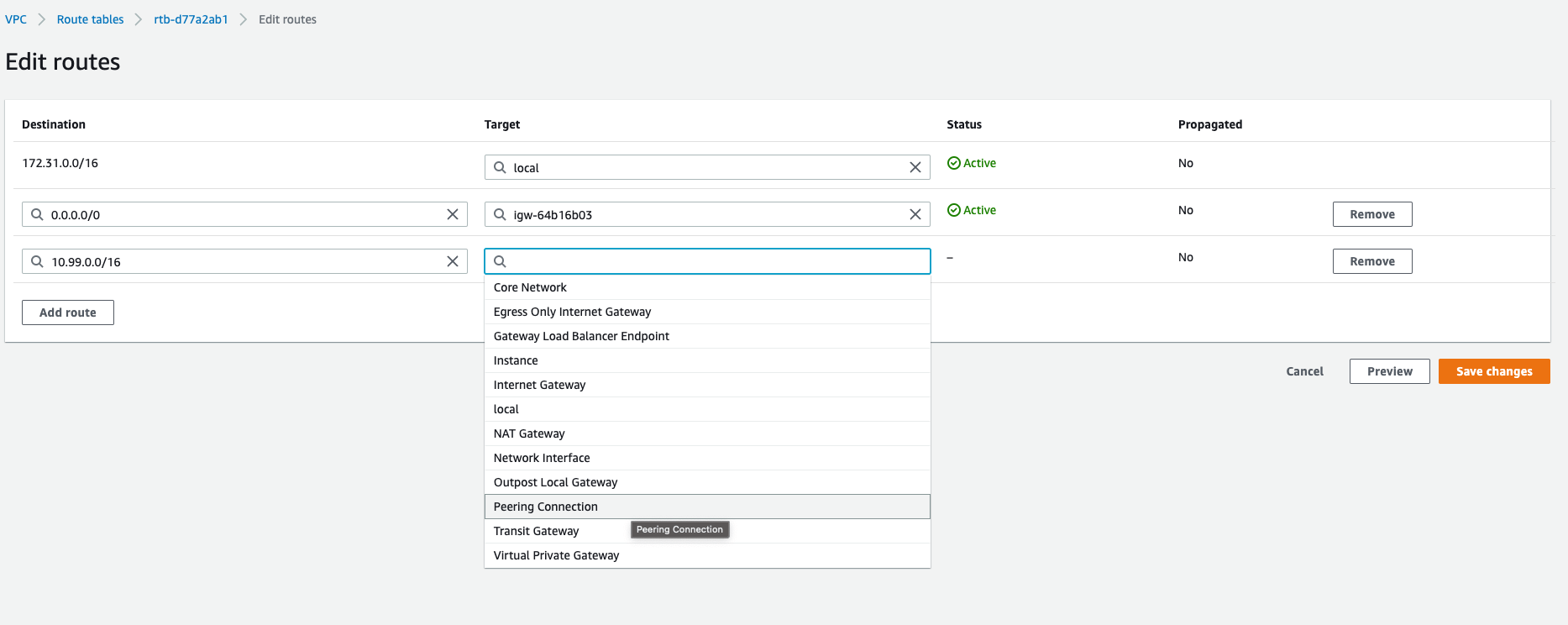
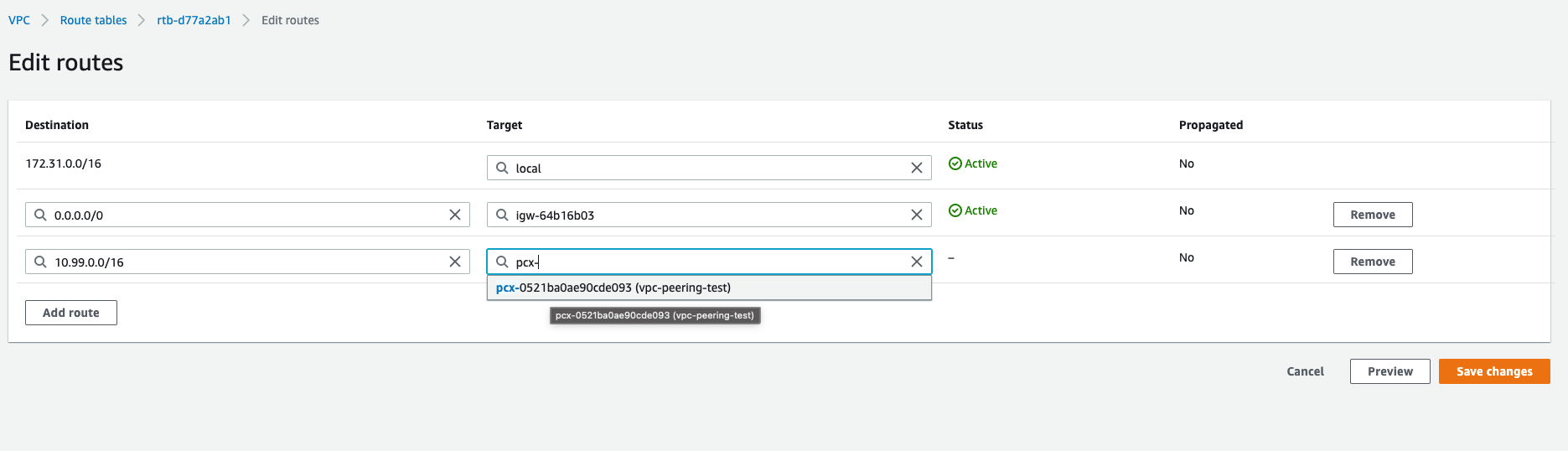
The next step is to ensure that each VPC's subnets have routing tables that are updated with entries telling each subnet where to throw traffic for the other VPC's CIDR. As an example, assume that VPC `k8s-upgrade-test-vpc` has `10.99.0.0/16` as its CIDR and VPC `default` has `172.31.0.0/16`. In this case, the routing table for each subnet inside `k8s-upgrade-test` needs to have an entry specifying that traffic for `172.31.0.0/16` is sent to the peering connection, and the routing table for each subnet inside `default` needs to have an entry that routes traffic for `10.99.0.0/16` to the peering connection.
## Routing Tables[](#routing-tables "Direct link to heading")
The next step is to ensure that each VPC's subnets have routing tables that are updated with entries telling each subnet where to throw traffic for the other VPC's CIDR. As an example, assume that VPC `k8s-upgrade-test-vpc` has `10.99.0.0/16` as its CIDR and VPC `default` has `172.31.0.0/16`. In this case, the routing table for each subnet inside `k8s-upgrade-test` needs to have an entry specifying that traffic for `172.31.0.0/16` is sent to the peering connection, and the routing table for each subnet inside `default` needs to have an entry that routes traffic for `10.99.0.0/16` to the peering connection.
 ## Security Groups[](#security-groups "Direct link to heading")
Finally, it's important to ensure that if the Porter VPC needs to access a resource in a second VPC over a peering connection, the security group(s) for that resource in the second VPC have entries allowing traffic from the Porter VPC's CIDR - typically 10.99.0.0/16 - for the port the resource is supposed to be available at.
## Security Groups[](#security-groups "Direct link to heading")
Finally, it's important to ensure that if the Porter VPC needs to access a resource in a second VPC over a peering connection, the security group(s) for that resource in the second VPC have entries allowing traffic from the Porter VPC's CIDR - typically 10.99.0.0/16 - for the port the resource is supposed to be available at.