> ## Documentation Index
> Fetch the complete documentation index at: https://docs.porter.run/llms.txt
> Use this file to discover all available pages before exploring further.
# Infisical
> Sync secrets and environment variables from Infisical into your Porter applications as a managed environment group with automatic updates on change.
Porter integrates with [Infisical](https://infisical.com/) so you can manage secrets in Infisical and have them automatically synced into your Porter applications. Each Infisical environment is exposed in Porter as a read-only environment group that can be attached to any application in the cluster.
Under the hood, Porter installs the [Infisical Kubernetes operator](https://infisical.com/docs/integrations/platforms/kubernetes) on your cluster, which uses a machine identity to pull secrets directly from Infisical. Secret values never persist in Porter's infrastructure.
## Enabling the Infisical integration
The Infisical integration is enabled per cluster.
1. From the Porter dashboard, navigate to the **Integrations** tab.
2. Find **Infisical** in the list and toggle it on.
Porter installs the Infisical operator on the selected cluster. Once enabled, you can begin adding Infisical environment groups.
## Adding an Infisical environment group
Each environment group corresponds to a path within a specific environment of an Infisical project.
### Create a machine identity in Infisical
Porter authenticates with Infisical using a [machine identity](https://infisical.com/docs/documentation/platform/identities/machine-identities). In your Infisical project:
1. Create a machine identity and assign it the **Viewer** role on the project.
2. Generate a **Client ID** and **Client Secret** for the identity.
Keep both values handy — you'll paste them into Porter in the next step.
### Create the environment group in Porter
1. On the Infisical integration page in Porter, click **Add Infisical env group**.
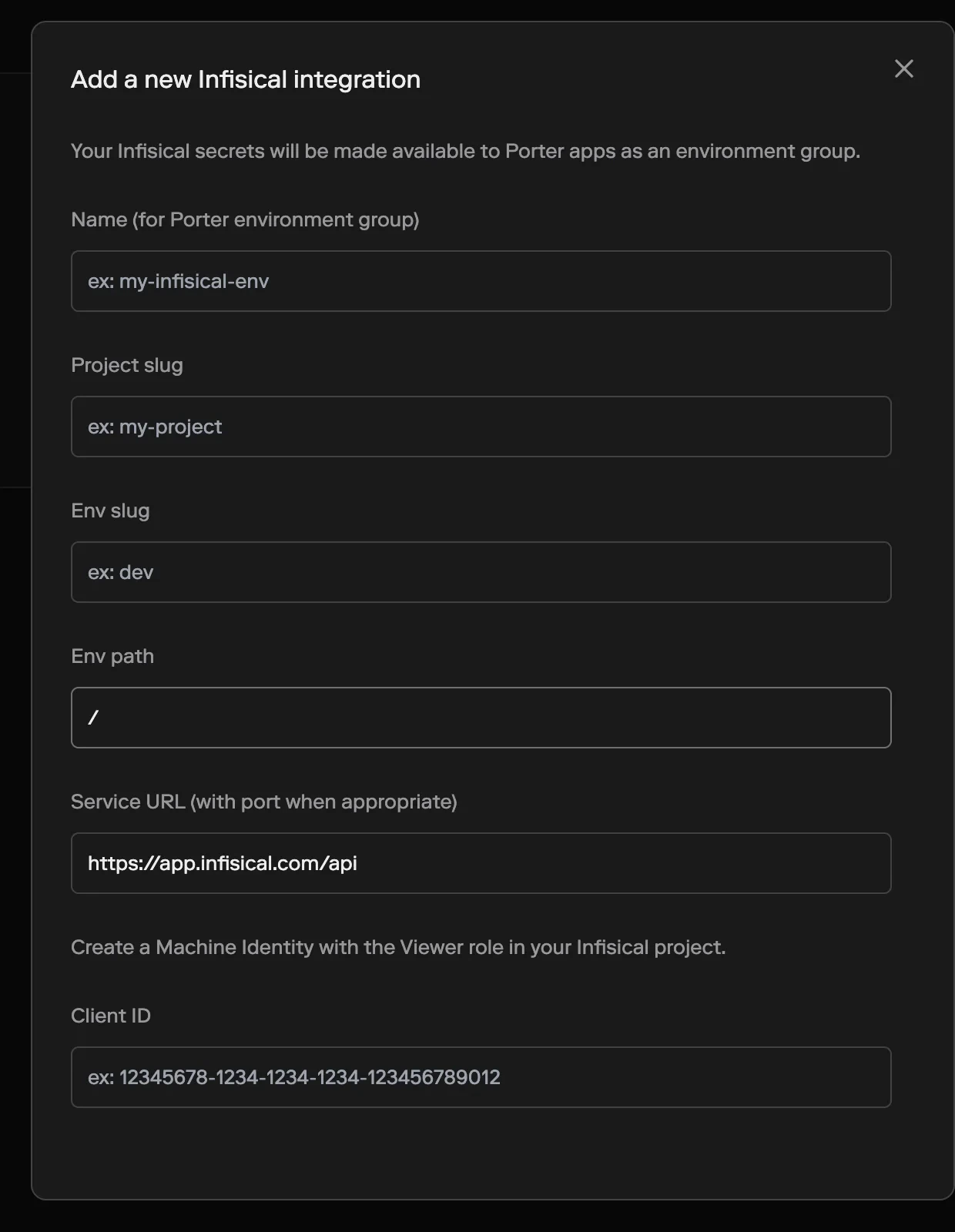
2. Fill in the form:
* **Name (for Porter environment group)** — the name you'll use to reference this environment group inside Porter (e.g. `production-infisical`).
* **Project slug** — the slug of the Infisical project to sync from.
* **Env slug** — the environment to pull from (e.g. `dev`, `staging`, `prod`).
* **Env path** — the secret path within the environment. Defaults to `/`.
* **Service URL** — the Infisical API URL. Defaults to `https://app.infisical.com/api`. Set this to your self-hosted Infisical URL if you're not using Infisical Cloud.
* **Client ID** — the client ID of the machine identity you created.
* **Client Secret** — the client secret of the machine identity.
3. Click **Add Infisical env group**.
 The new environment group will appear alongside your other environment groups in the **Env Groups** tab.
## Syncing to an application
Infisical environment groups work like any other Porter environment group. You can sync them to an application:
* From the dashboard, on the application's **Env Groups** tab, add the Infisical group and click **Update app**.
* From `porter.yaml`, add the group's name to the `envGroups` field:
```yaml theme={null}
version: v2
name: my-app
envGroups:
- production-infisical
services:
- name: web
type: web
run: npm start
port: 3000
```
For more on syncing, see [Environment groups](/applications/configure/environment-groups).
Infisical environment groups are **read-only** in Porter. Values are fetched from Infisical and cannot be edited from the Porter dashboard. To change a secret's value, update it in Infisical — the change will propagate to your cluster automatically.
## Deleting an Infisical environment group
To stop syncing an Infisical environment:
1. Open the environment group in Porter.
2. Go to the **Settings** tab and click **Delete**.
You cannot delete an environment group that is synced to an application. Remove it from all synced applications first.
Deleting the environment group removes the synced Kubernetes resources from your cluster. It does **not** delete the underlying secrets in Infisical.
The new environment group will appear alongside your other environment groups in the **Env Groups** tab.
## Syncing to an application
Infisical environment groups work like any other Porter environment group. You can sync them to an application:
* From the dashboard, on the application's **Env Groups** tab, add the Infisical group and click **Update app**.
* From `porter.yaml`, add the group's name to the `envGroups` field:
```yaml theme={null}
version: v2
name: my-app
envGroups:
- production-infisical
services:
- name: web
type: web
run: npm start
port: 3000
```
For more on syncing, see [Environment groups](/applications/configure/environment-groups).
Infisical environment groups are **read-only** in Porter. Values are fetched from Infisical and cannot be edited from the Porter dashboard. To change a secret's value, update it in Infisical — the change will propagate to your cluster automatically.
## Deleting an Infisical environment group
To stop syncing an Infisical environment:
1. Open the environment group in Porter.
2. Go to the **Settings** tab and click **Delete**.
You cannot delete an environment group that is synced to an application. Remove it from all synced applications first.
Deleting the environment group removes the synced Kubernetes resources from your cluster. It does **not** delete the underlying secrets in Infisical.